Personal finances
Managing your money, made simple.
A few minutes a month are enough to track your spending, plan ahead and watch your savings grow.
One month tracked in Socle, as an example.
One payment. Updates included. Refunded within thirty days.
Three things Socle doesn't do
Start here, because this is what sets it apart.
It sends nothing
Your income, your spending and your plans are encrypted on your device with a password you choose. No server holds a copy. Not because we promise not to look: because there is nothing to look at.
It doesn't connect to your bank
You are never asked for banking credentials. You export a statement yourself from your bank's website, whenever you want, and Socle reads it on your device.
It doesn't charge you every month
Nineteen euros, once. Updates are included. There is no server to pay for, so there is no reason to bill you every year.
Twenty minutes to set it up
After that, a few minutes a month is enough.
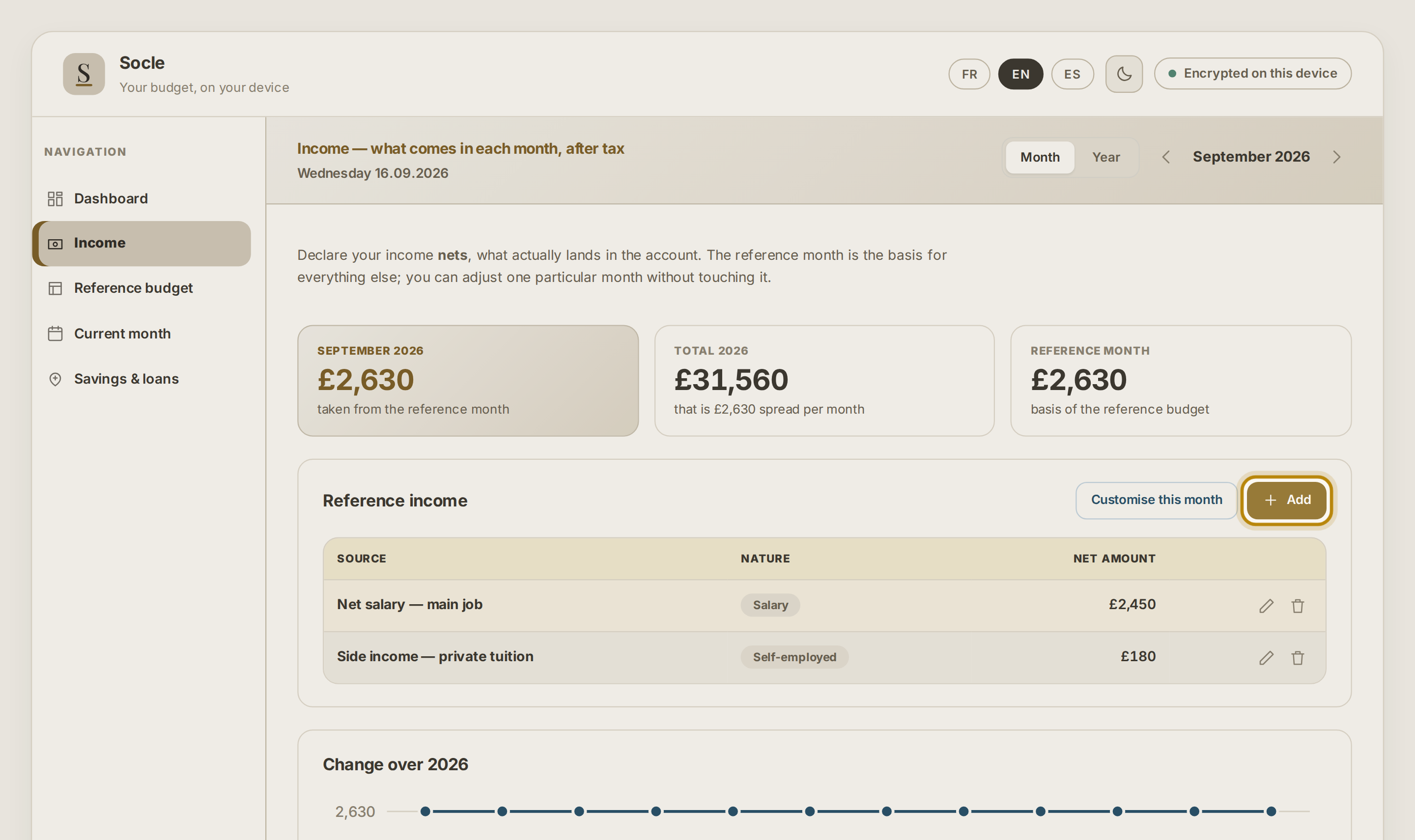
Your income
One line per source, after tax. That total becomes the reference for everything else.
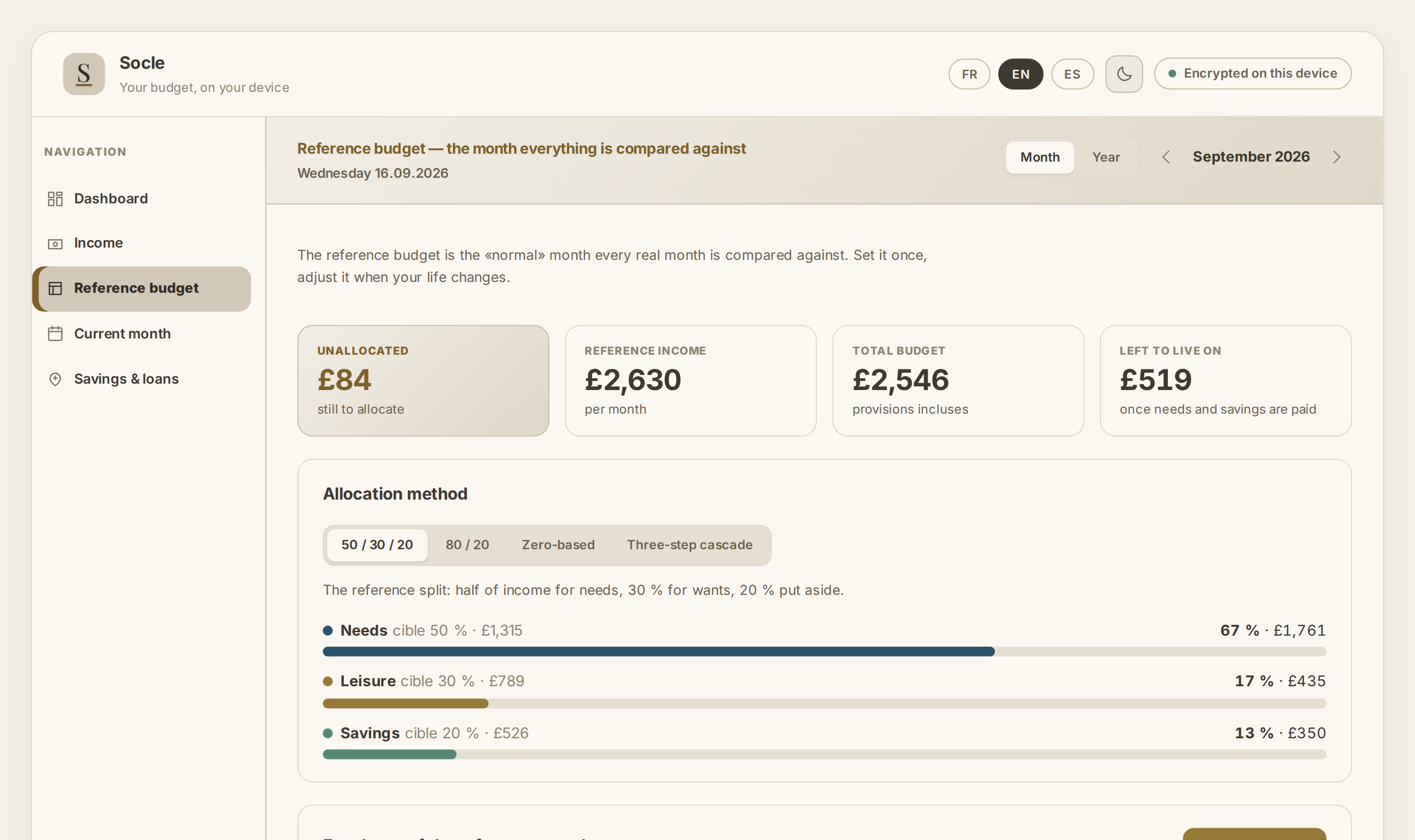
Your reference budget
The ideal month that real months are compared against. The 50 / 30 / 20 method gives you a starting point if you don't know where to begin.
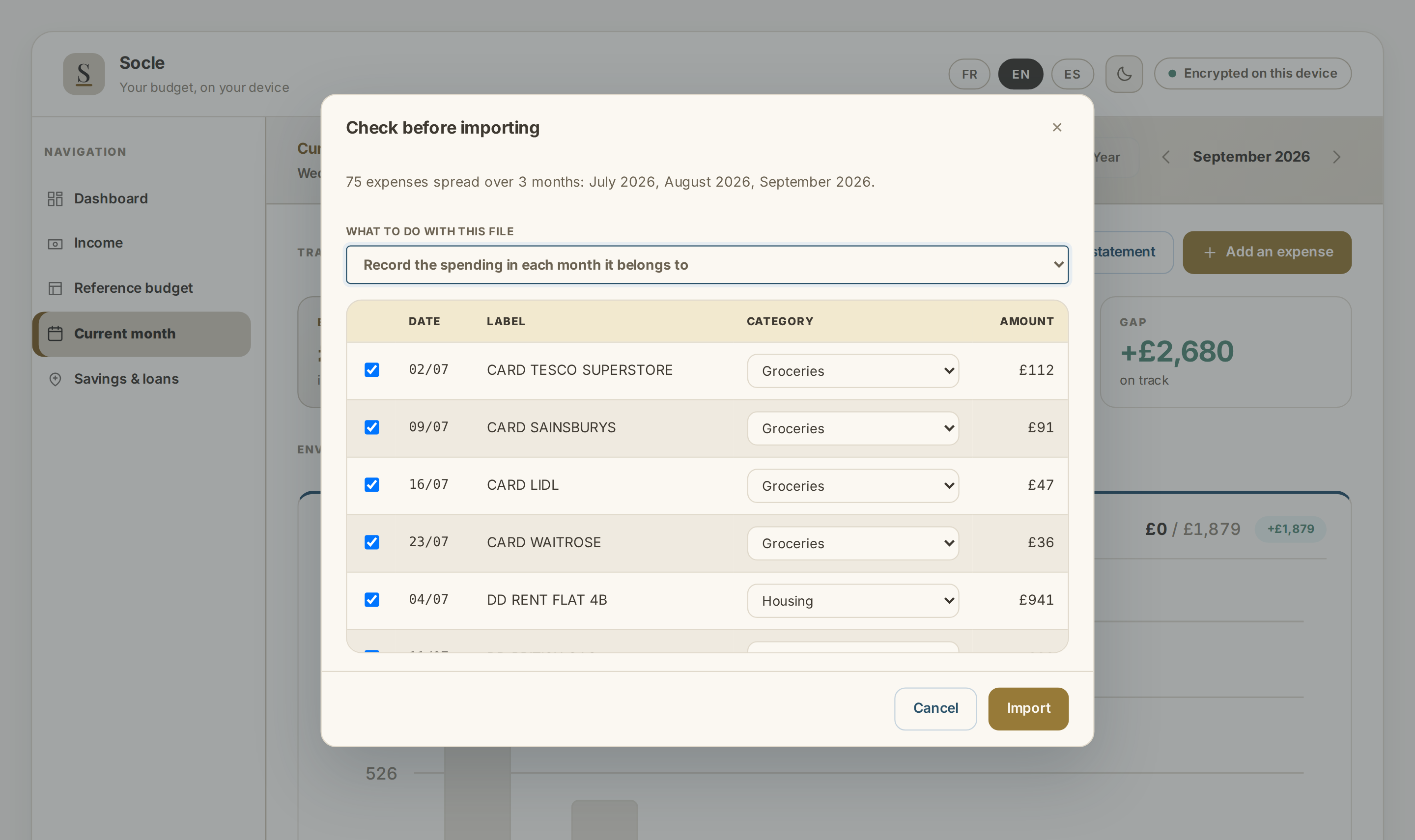
Your statement
Imported from a file you export from your bank. Known merchants are filed on their own; you correct the rest, and the correction is remembered.
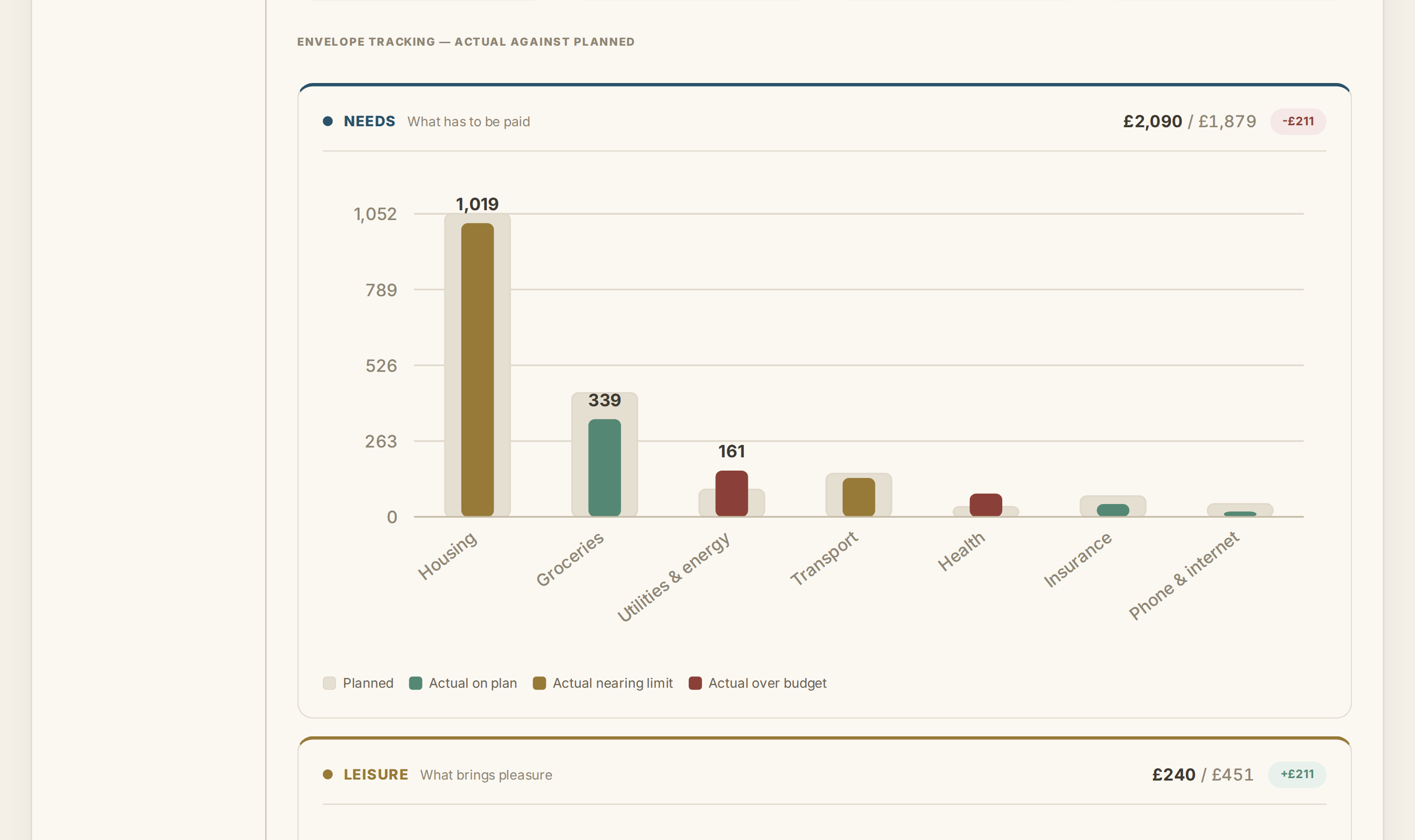
The current month
Planned against actual, category by category, sorted from the largest to the smallest. This is where you watch an overspend take shape.
What's inside
The budget
Adjustable income · Needs, leisure, savings · Four methods · Annual costs spread
Transactions
CSV import · 200 merchants filed · Duplicates caught · Spreadsheet export
Savings
Emergency fund · Plan envelopes · Scheduled transfers · Loan tracking
Security
AES-256 encryption · Face ID / Touch ID · Automatic lock · Encrypted backup
What to know before you buy
Two limits, the direct counterpart of there being no server.
Backing up is your job
Socle backs nothing up for you and does not synchronise between your devices. It lets you export an encrypted file; keeping it is up to you. Erase the app without a backup and the data goes with it — nobody can restore it, because nobody has a copy.
The password cannot be reset
There is no “forgotten password” button, because there is no server to run one. A recovery code is given to you once, when the account is created. It is the only spare key that exists. Write it down.
One price
19 €
single payment, all taxes included
- The whole app, with no feature held back for a higher tier
- Updates, with no time limit
- French, Spanish and English
- Email support, answered within three working days
Refunded on request for thirty days, no reason needed.
Questions
Why no subscription?
Because there is nothing to pay for. The app runs on your device, not on a server I would be paying for every month. Billing you every year for a cost that does not exist would be hard to defend.
How does it work on an iPhone?
Open the link in Safari, then Share, then “Add to Home Screen”. The app installs like any other and then works with no connection.
What if I change phone?
Export an encrypted backup from Settings, install Socle on the new device, and restore it. That is the step not to forget, and the only one.
Is my data really out of reach?
It is encrypted with a key derived from your password, on your device. I have no technical way of getting to it: I have no server, so no copy. The other side of that is written above — if you lose the password and the recovery code, I cannot help you either.
How does it work, in practice?
In two stages, and the first one is done only once. Setting up takes twenty minutes or so: your income, then the amount you expect to spend in each category.
After that, once a month: you download the statement from your bank's website and drop it into Socle. Spending at a merchant already seen files itself; you sort the rest, and your choice is kept for next time.
Then you just look. The current month sets planned against actual, category by category: overspending shows before the month is out, while there is still time to act on it. The video guide walks that same path, screen by screen.
Who sells it, and who invoices?
The sale is operated by Paddle, which issues the invoice and collects the tax applicable in your country. C&C Consulting publishes the software and provides support.